From Rows to Racks
The wine cellar spreadsheet, and why it quietly fails
Every serious collection starts the same way: a tidy spreadsheet, made with real care, on a Sunday afternoon. Columns for producer, vintage, region, price. It works beautifully — for about six weeks.
The three ways cellar spreadsheets die
1. The inventory drifts. A spreadsheet lives on a computer; wine gets opened at dinner. Nobody leaves the table mid-course to edit row 47. Within a season the sheet says 84 bottles and the racks hold 71, and once you stop trusting it, you stop updating it. That's the whole failure loop.
2. Rows can't tell time. A drinking window in a spreadsheet is a static pair of years that never taps you on the shoulder. The 2015 you carefully noted as "drink 2020–2024" scrolls silently past its peak somewhere below the fold. The most common cellar regret isn't a bad purchase — it's a great bottle discovered two years too late.
3. It has no answers. The moment of truth for any cellar system is Friday, 6:45 pm, guests at eight, salmon in the oven. A spreadsheet offers you a sort button. What you want is somebody who knows your collection saying: the Pinot on rack two, third slot — it's in its window, and it loves salmon.
Sunday-Afternoon Spreadsheet
Row 47: "Margaux — kitchen rack? left side?"
Windows noted once, checked never
Updated when guilt accumulates
Answers: sort, filter, squint
Vintara Sommelier
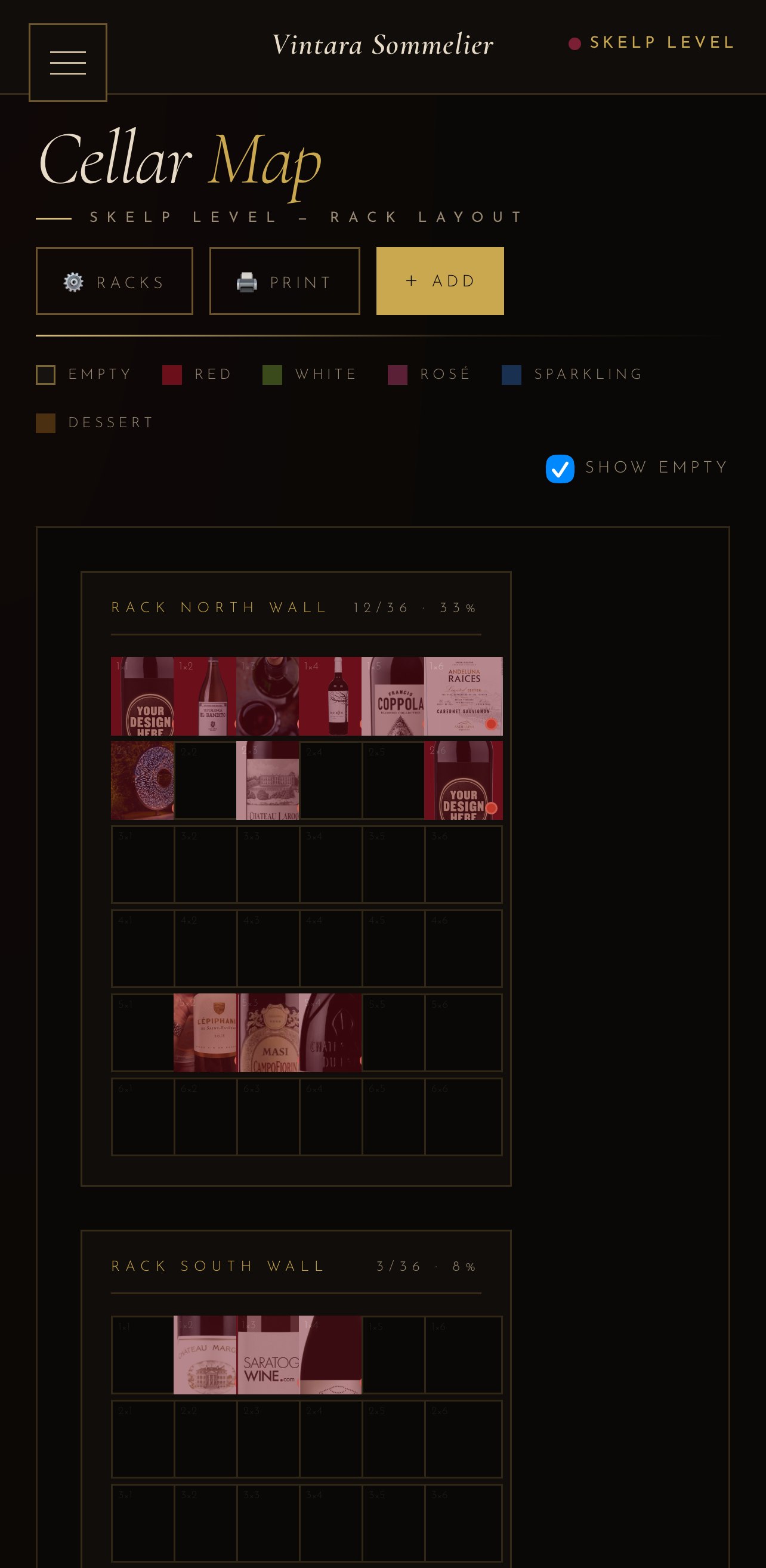
Every bottle has a rack-and-slot address
Reminders when a window opens — or is closing
Snap the label; the AI fills in the row
Answers: "open the Pinot on rack two"
What a purpose-built cellar app changes
We built Vintara Sommelier to break each failure in turn:
- Entry in seconds, not minutes. Point your camera at the label and the AI reads the producer, vintage, varietal, and region — then estimates the drinking window from what it knows about the wine. The thirty-second rule stays unbroken, so the inventory stays true.
- Windows that watch themselves. Bottles are flagged as approaching, ready, peaking, or overdue — and the reminders find you, rather than waiting to be found.
- A sommelier, not a sort button. Tell it the food, the mood, and a budget; it answers from your actual inventory, prioritizing bottles that should be drunk, and tells you exactly where they rest.
- A cellar that looks like a cellar. Rack-and-slot maps, bottle photography, and a Kiosk Mode that turns a mounted tablet into an ambient display — because a collection this beautiful deserves better than gridlines.
Moving off the spreadsheet
You don't need a migration weekend. The label scanner makes re-entry fast enough that most collectors simply work through a rack at a time — scan, confirm, slot — and find the process oddly satisfying, like shelving a library. A 100-bottle cellar is typically mapped in an evening, and unlike the spreadsheet, it's the last time you'll do it.
Comparing tools first? We wrote an honest rundown of the best wine cellar apps in 2026, including where the alternatives beat us. And when dinner's already decided, our pairing guide covers the classic matches.